See everything
Live trace of every prompt, response, and tool call across local agents and remote sandboxes. Watch file edits, bash commands, and API calls as they happen.

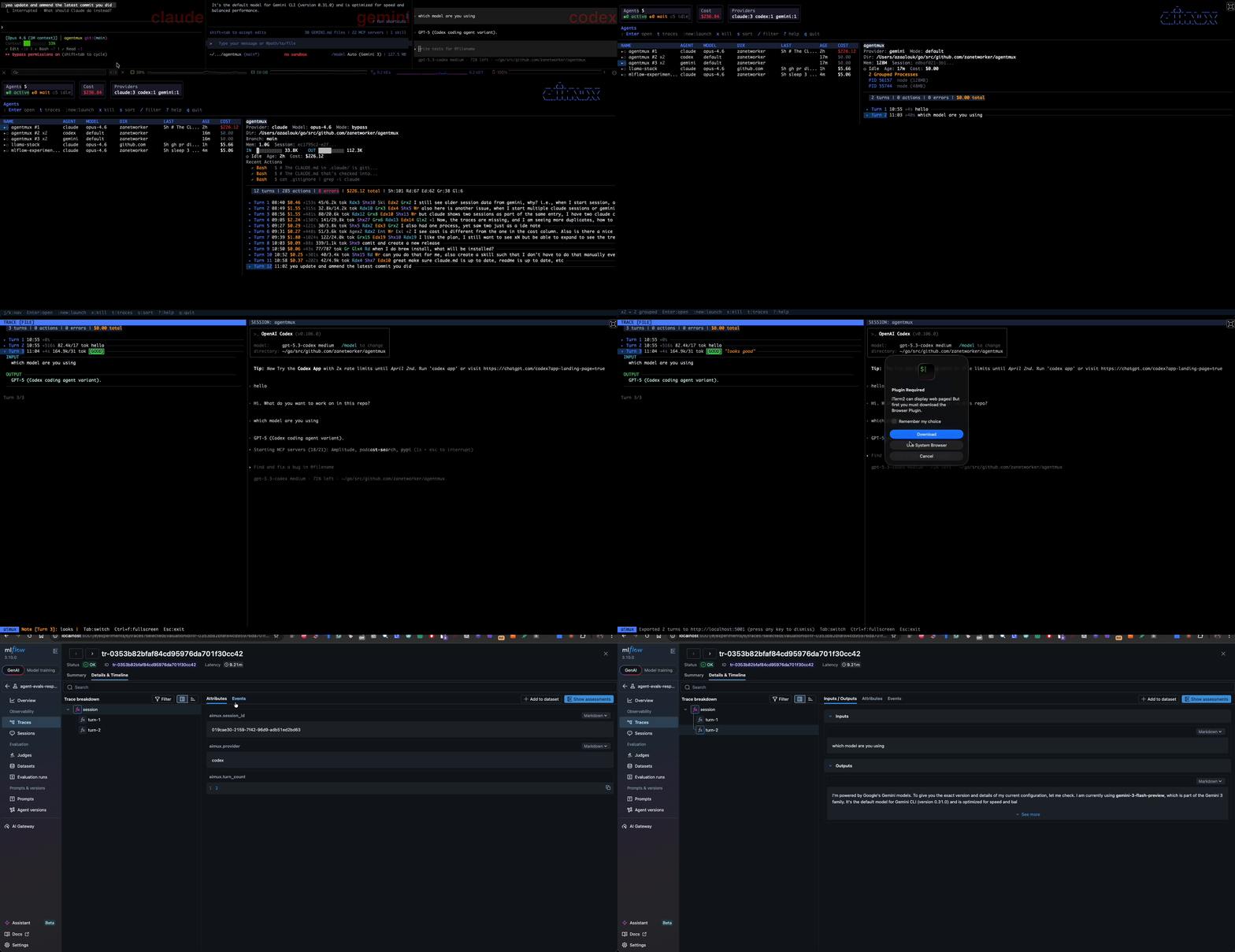
Run aimux and instantly see every AI agent on your machine — or in a remote OpenShell sandbox. Claude and Codex, live trace of every turn. Then judge it.
See everything
Live trace of every prompt, response, and tool call across local agents and remote sandboxes. Watch file edits, bash commands, and API calls as they happen.
Judge quality
Label turns GOOD, BAD, or WASTE. Add notes. Build eval datasets from real production sessions.
Export anywhere
OTEL to MLflow or Jaeger. JSONL to disk. Your annotations become feedback assessments for model evaluation.
Zero setup
Auto-discovers running agents. No config, no SDK. Just run aimux — local processes and remote sandboxes appear automatically.
Run aimux for a keyboard-driven TUI with split-pane trace and live session embedding. Run aimux web for a browser dashboard with card grid, filtering, dark/light themes, and a plugin system. Both frontends share the same backend — every feature works the same way in both.


| Feature | Description |
|---|---|
| Cost tracking | Per-turn pricing for Claude and Codex models with project-level breakdowns |
| Session history | Browse, search, and revisit past sessions with star, annotate, tag, and note metadata |
| Badges | Extract values from project files (version, language) and display them alongside session names |
| Six-axis launcher | Configure provider, model, permissions, runtime, execution, and session manager per launch |
| Remote sandboxes | Launch agents in isolated OpenShell sandboxes — full PTY terminal, traces, and kill support |
| Container runtime | Run agents inside Podman/Docker containers for isolation |
| Google Tasks | Launch agents with task context, track completion automatically |
| Cross-session search | Find which agent edited a specific file across all sessions |
| Notifications | Terminal bell + macOS desktop alerts on permission prompts, errors, completion |
| Plugins | Custom dashboard tabs with metrics, tables, and charts (e.g., Skill Dashboard) |
| Dark/light themes | Toggle in the web dashboard, persisted to localStorage |
| Kubernetes | Run agents on K8s pods, control from your laptop via Redis coordination |
brew install zanetworker/aimux/aimuxaimux # TUI dashboardaimux web # web dashboard